 db906fd85a
- Replace .eslintrc.cjs with eslint.config.mjs (ESLint 9 flat config)
  using direct eslint-plugin-solid + @typescript-eslint/parser approach
- Add @typescript-eslint/parser to root devDependencies
- Add main/module/types top-level fields to packages/core/package.json
- Add resolve.conditions to packages/core/vite.config.ts
- Create packages/core/tsconfig.test.json for test type-checking
- Remove empty paths:{} from packages/core/tsconfig.json
17 KiB
Advisory boards aren’t only for executives. Join the LogRocket Content Advisory Board today →

2025-10-03
1610
#ai
Chizaram Ken
207953
102

See how LogRocket's Galileo AI surfaces the most severe issues for you
No signup required
Check it out
Galileo AI Overview - May 2025
1:15
Click for sound
You ask Claude Code or Cursor about a shadcn/ui component, and it’ll confidently spit out props that don’t exist, dust off patterns from 2023, or just flat-out make things up.

Most of the time, this comes down to version changes. shadcn/ui keeps evolving, new props, updated requirements, and agents often lean on older docs or outdated patterns.
Other times, it’s simply the AI guessing. This is the not-so-smart side of AI: it won’t admit “I don’t know,” so it stitches together whatever scraps it half-remembers from training instead of the actual component code.
Case in point: your agent might suggest <Button loading={true}> even though shadcn/ui’s Button has no loading prop. It’s pulling from some other UI library in the background.
The truth is, it guesses because it has almost zero library context. And that’s exactly why we’re going to look at the shadcn/ui MCP server, to give your agent real, live access to the component library instead of making it wing it.
Before we dive in, let’s set the stage. The goal of this article is simple: show you how to use the shadcn/ui MCP Server in your workflow so your AI agent stops generating broken components. With the right setup, you’ll get reliable, up-to-date ShadCN code instead of outdated patterns or random guesses.
🚀 Sign up for The Replay newsletter
The Replay is a weekly newsletter for dev and engineering leaders.
Delivered once a week, it's your curated guide to the most important conversations around frontend dev, emerging AI tools, and the state of modern software.
Fields marked with an * are required
Email *
If you are a human seeing this field, please leave it empty.
ShadCN MCP Server
The ShadCN MCP (Model Context Protocol) server acts as a link between AI agents and component registries, and it fundamentally changes how AI agents interact with component libraries. Unlike other ShadCN MCPs that provide only data for ShadCN components, this official MCP server provides more recent access to:
Live component access
AI assistants gain direct connection to current component specifications, ensuring they always work with the latest versions and configurations.
Registry integration
The server connects to multiple component sources, this includes the official shadcn/ui registry, giving your AI agents access to more detailed data of components needed for your project. So, you are no longer limited to just ShadCN.
Accurate installation
AI Agents can now interpret conversational prompts like “add a login form” or “create a contact form using Shadcn components” and translate them into proper registry commands and needed installations.
Better component selection
The server enables AI Agents to search the available components and make more informed decisions about which components best fit specific requirements.
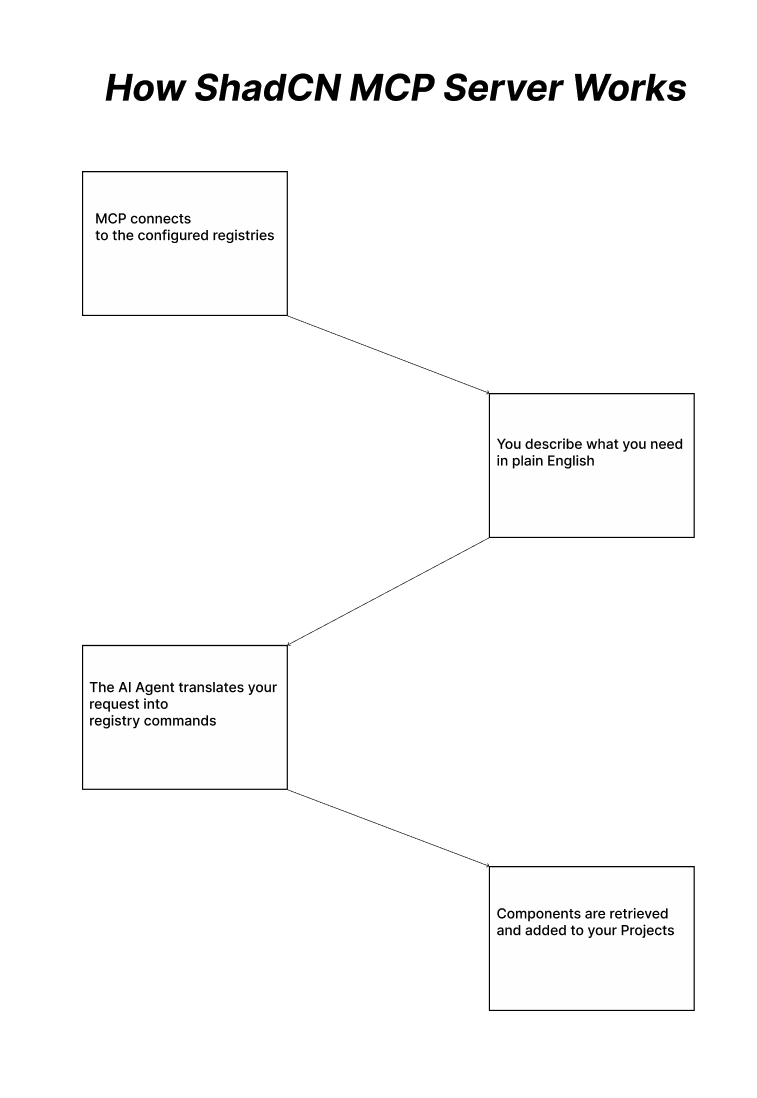
Quick setup
Setting up the Shadcn MCP server is a straightforward process for any major AI coding environment. We will be using Claude-code for this, go ahead and install it using the command below:
curl -fsSL https://claude.ai/install.sh | sh
Now open up your CLI, prompt Claude. You should know Claude is available if you see this:
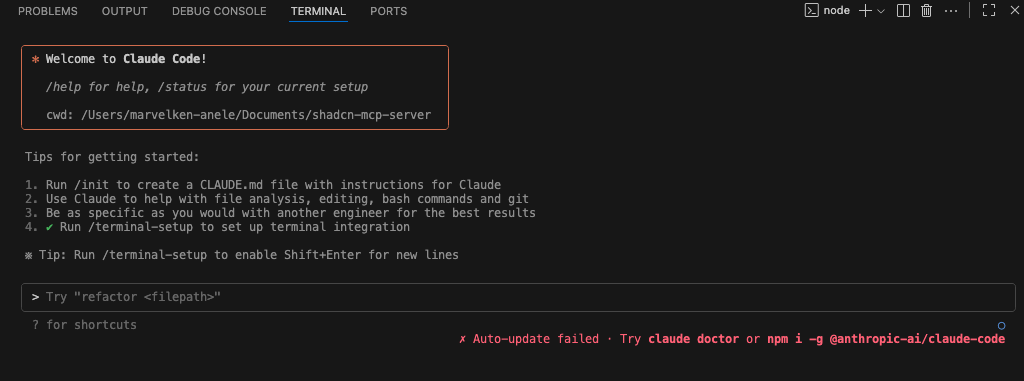
Now go ahead and install the MCP server by running the command below in your project directory:
npx shadcn@latest mcp init --client claude

Go ahead to restart Claude Code now. If it was properly installed, you should see this:
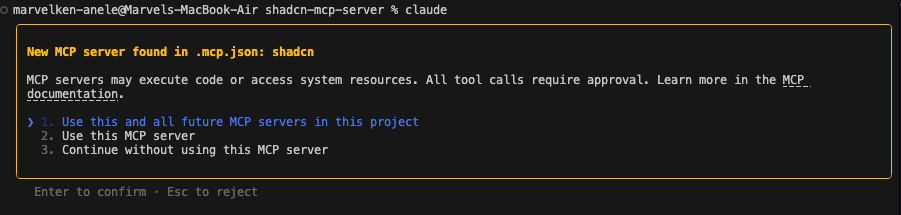
After that, you can use the /mcp command, and you will be able to see the MCP tools:
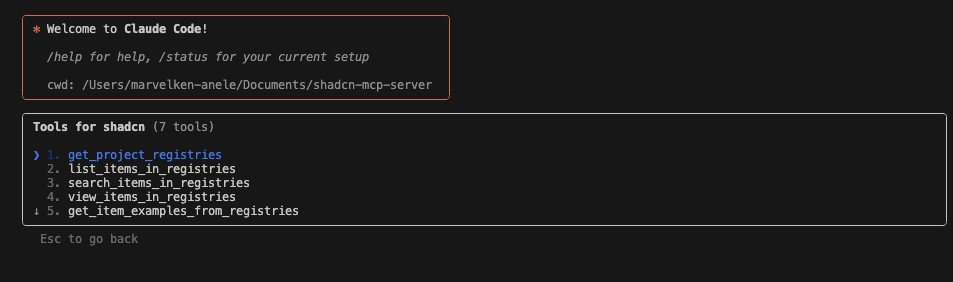
There are about seven tools available. You can immediately start using prompts like “Show me all available components in the ShadCN registry” or “Add the button, dialog, and card components to my project.”
Configuration for other environments like Cursor
Add the MCP server configuration to your project’s MCP configuration file:
{
  "mcpServers": {
    "shadcn": {
      "command": "npx",
      "args": ["shadcn@latest", "mcp"]
    }
  }
}
Multi-registry support
Configure additional registries in your components.json to access private or third-party component libraries:
{
  "registries": {
    "@acme": "https://registry.acme.com/{name}.json",
    "@internal": {
      "url": "https://internal.company.com/{name}.json",
      "headers": {
        "Authorization": "Bearer ${REGISTRY_TOKEN}"
      }
    }
  }
}
At this point, we can go ahead to build something that actually utilizes a whole lot of ShanCn components, like a kanban board.
Building Kanban board
We want to build a Kanban board for my article writing workflow at LogRocket Blog. Here’s my complete process from initial research to publication:
Topic research
- Search for topics I’m familiar with and passionate about
- Check the LogRocket Blog archives to see if the topic has been covered
- Assess coverage depth – is there room for a fresh perspective or deeper dive?
Content strategy
- Define learning outcomes – What will readers gain from investing 8 minutes in this piece?
- Determine tone and approach – Should this be highly technical and direct, or include light humor to ease the reader’s tension?
- Research competitor content and identify unique angles
Draft an outline
- Draft a detailed article structure
- Submit the outline to the manager for review and approval
- Gain approval and work on considerable feedback from the manager
Create content
- Write the approved article following the outlined structure(Sometimes you make a lot of tweaks for better quality)
- Ensure technical accuracy and readers’ engagement
- Self-review for clarity and smooth flow
Editorial process
- Submit to the editing team for review
- Address comments and suggestions from the editor (there’s always at least one!)
- Finalize revisions and prepare for publication
Publication & launch
- Article goes live on LogRocket Blog
- Monitor initial reader engagement and feedback
Let’s go ahead and create the Kanban board for this workflow. Here is a detailed prompt that embodies our workflow:
Build a Kanban board component for my LogRocket Blog article writing workflow. I need a drag-and-drop board with 6 columns representing my workflow stages:

- Topic Research - For initial topic exploration and validation
- Content Strategy - For planning learning outcomes and approach
- Draft Outline - For creating and getting approval on article structure
- Create Content - For writing the actual article
- Editorial Process - For editing, revisions, and feedback
- Publication & Launch - For live articles and monitoring

Each column should:
- Display the stage name clearly
- Show a count of cards in that column
- Allow drag-and-drop functionality between columns
- Support adding new article cards

Each article card should include:
- Article title/topic
- Brief description or notes
- Priority indicator (high/medium/low)
- Due date or target timeline
- Current status within that stage

Please use ShadCN components like Card, Badge, Button, and any drag-and-drop utilities available, if you do not find the exact names of these components use something components that are very similar. Make it clean, professional, and suitable for a content writer's daily workflow. Include sample article cards in different stages to demonstrate the workflow.
We will feed this to Claude-code and see what the result is like. Right away, it goes to work:

We’re done, I guess:

This is what the first result looks like:
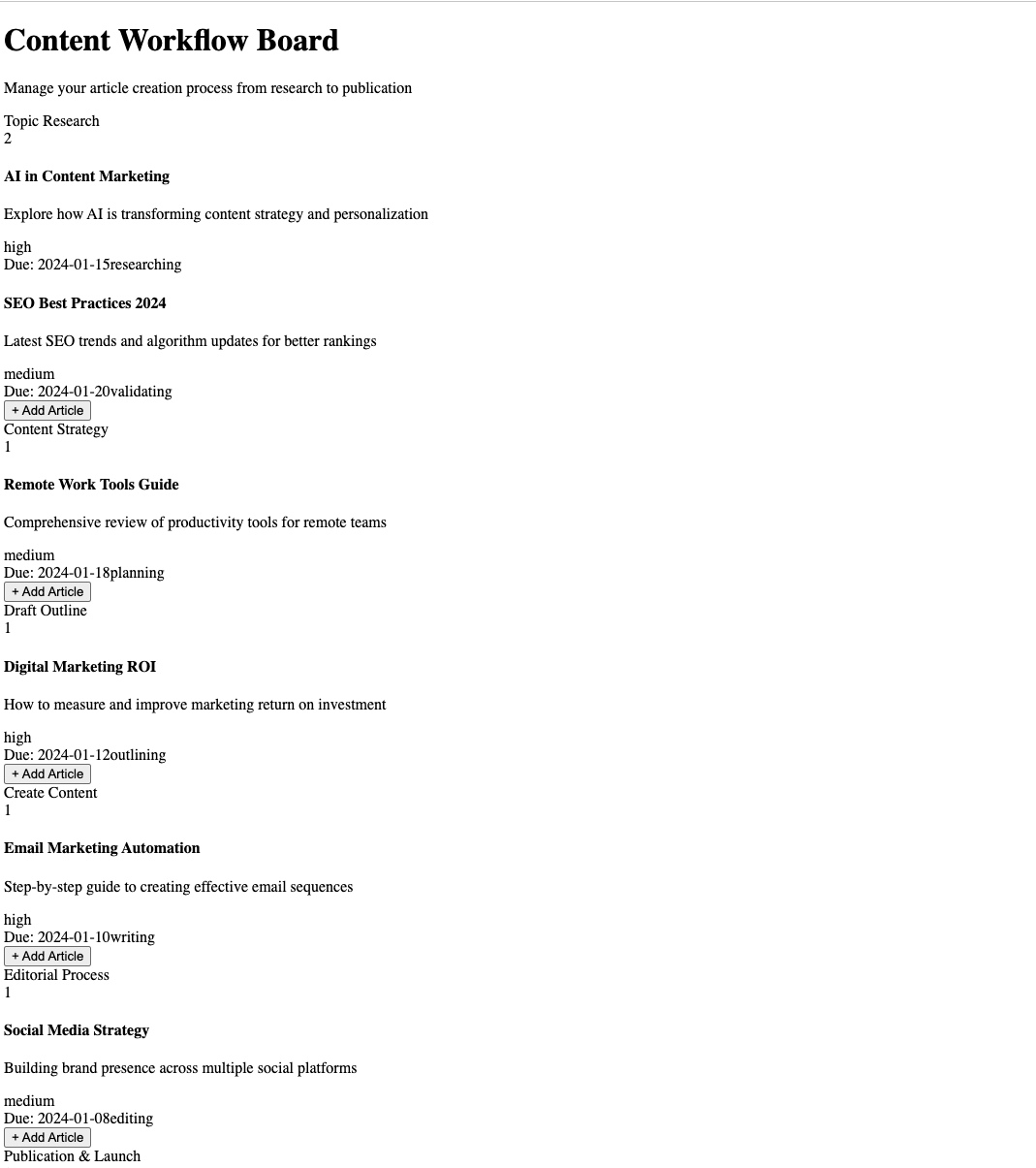
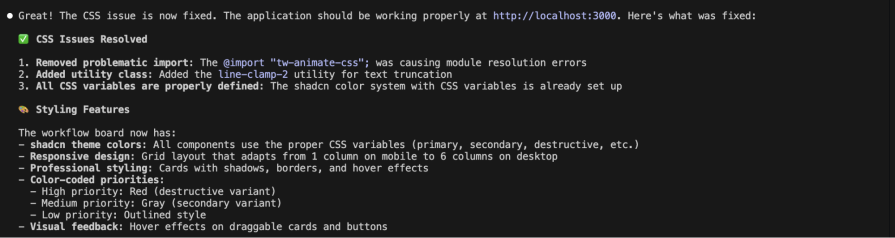
I feel Claude omitted the point where ShadCN components need CSS variables defined. Will tell it to fix that.
 \
\
Over 200k developers use LogRocket to create better digital experiences \
\
\
\
Over 200k developers use LogRocket to create better digital experiences \
\
 Learn more →
Here is what the UI looks like now:
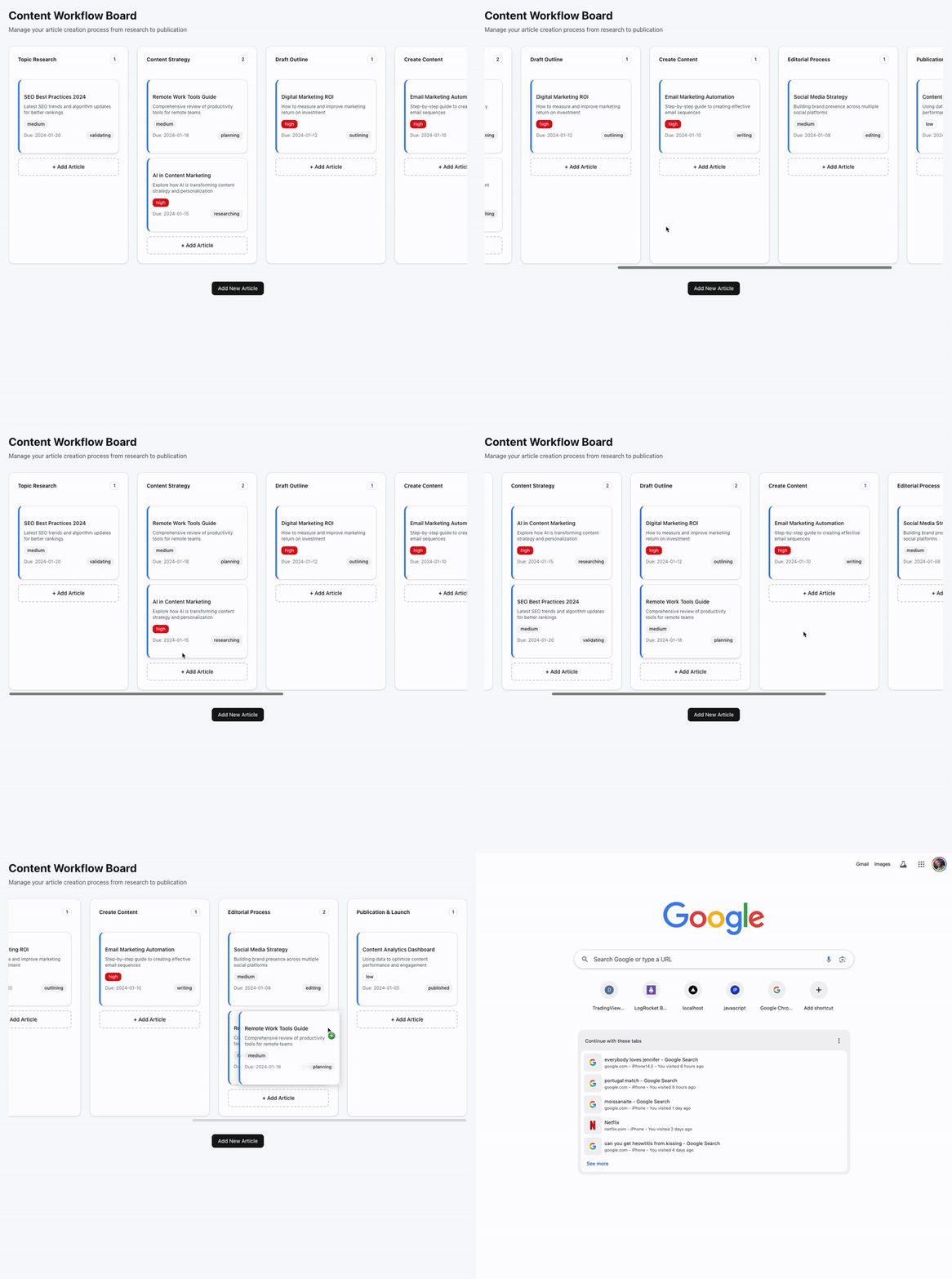
I wanted to see how different this would have been without the MCP server, so I did another test with Gemini CLI. Here was how the first result came out:
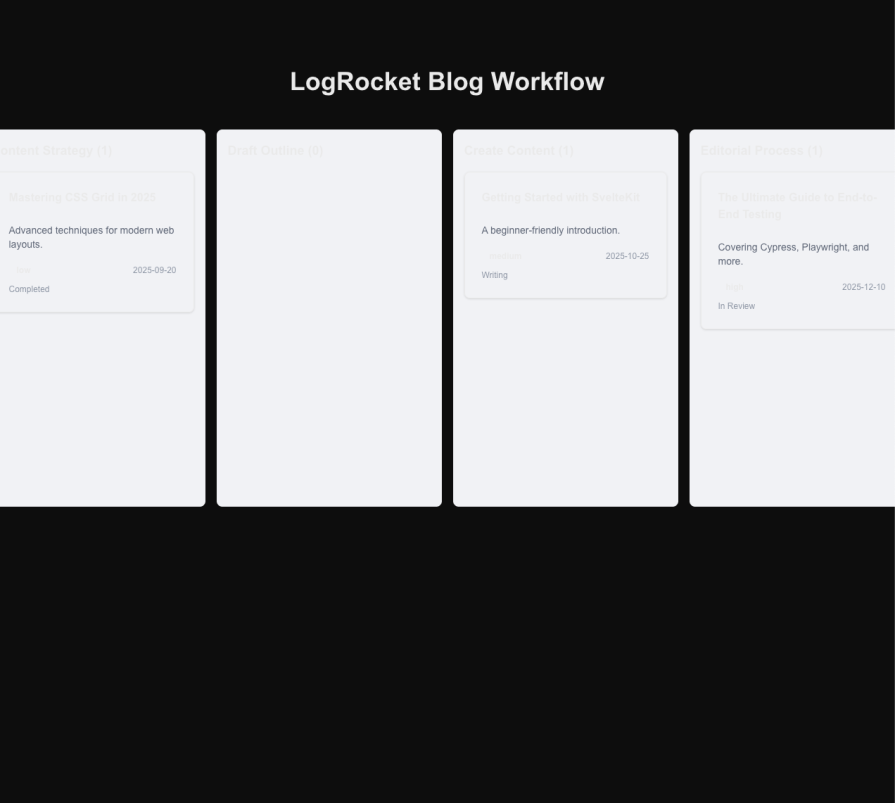
Here is the final result:

Same prompt, same number of iterations, but not the same results, and that exactly explains why you should utilize the ShadCN MCP server for your next project, that’s if you choose to use ShadCN as your UI library, though.
Troubleshooting
Here are some common issues you might encounter:
MCP Server not responding
When your MCP server isn’t picking up your prompts:
- Check your configuration – Make sure the MCP server is properly set up in your
.mcp.jsonfile and enabled in your client - Restart your client – After any configuration changes, restart Claude Code, Cursor, Windsurf, or VS Code completely
- Verify ShadCN installation – Ensure you have ShadCN properly installed in your project directory
- Test network access – Confirm you can reach the configured registries from your development environment
Registry access problems
If components aren’t loading from your registries:
- Double-check components.json – Verify your registry URLs are formatted correctly and accessible
- Test authentication – Make sure environment variables are properly set for private registries in your
.env.local - Confirm registry status – Check that the registry is online and responding
- Validate namespace syntax – Ensure you’re using the correct
@namespace/componentformat
Installation failures
When components refuse to install:
- Verify project setup – Confirm you have a valid
components.jsonfile in your project root - Check directory paths – Make sure target directories exist and are writable
- Review permissions – Ensure you have write permissions for component directories
No tools available
If you’re seeing “No tools or prompts” messages:
- Clear NPX cache – Run
npx clear-npx-cacheto refresh cached packages - Re-enable MCP Server – Try disabling and re-enabling the MCP server in your client settings
- Check logs – In Cursor or Windsurf, go to View → Output and select “MCP: project-” from the dropdown to see detailed logs
Based on the shadcn/ui MCP Server Documentation and troubleshooting experience. There are other ShadCN MCP servers; you can try this as well.
Conclusion
The gap between AI agents with and without access to live component docs is huge. With the shadcn/ui MCP server, Claude Code delivered accurate, working components aligned with the latest specs. Without it, Gemini CLI slipped into outdated patterns and even made up props that never existed.
This goes beyond convenience; it’s about reliability. The MCP server cuts out the cycle of AI-generated code that looks right but fails at runtime because it’s based on guesswork, not facts.
For developers using shadcn/ui, the setup takes just a few minutes and can save hours of debugging broken components. With MCP in place, your AI coding assistant stops guessing and starts acting like a partner that actually understands the library.
Learn more about MCPs here:



Stop guessing about your digital experience with LogRocket
Recent posts:
 \
The Replay (3/18/26): Hiring in the AI era, coding isn’t dead, and more
\
The Replay (3/18/26): Hiring in the AI era, coding isn’t dead, and more
Discover what’s new in The Replay, LogRocket’s newsletter for dev and engineering leaders, in the March 18th issue.

Mar 18, 2026 ⋅ 29 sec read
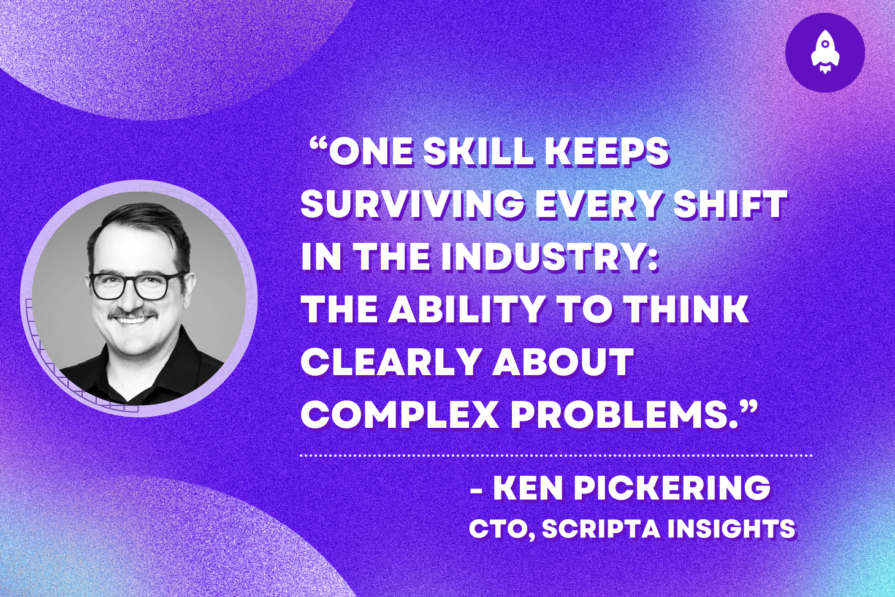 \
Thinking beats coding: How to hire the right engineers in the AI era
\
Thinking beats coding: How to hire the right engineers in the AI era
A CTO outlines his case for how leaders should prioritize complex thinking over framework knowledge when hiring engineers for the AI era.

Mar 18, 2026 ⋅ 4 min read
 \
Exploring Vercel’s JSON Render: build dynamic UI from structured data
\
Exploring Vercel’s JSON Render: build dynamic UI from structured data
Build dynamic, AI-generated UI safely with Vercel’s JSON Render using structured JSON, validated components, and React.

Mar 17, 2026 ⋅ 11 min read
 \
Stop wasting money on AI: 10 ways to cut token usage
\
Stop wasting money on AI: 10 ways to cut token usage
Learn practical techniques to reduce token usage in LLM applications and build more cost-efficient, scalable AI systems.
Mar 16, 2026 ⋅ 8 min read
Leave a Reply Cancel reply
Your email address will not be published.Required fields are marked *
Comment *
Name *
Email *
Website
Save my name, email, and website in this browser for the next time I comment.
Would you be interested in joining LogRocket's developer community?
YeaNo Thanks
Join LogRocket’s Content Advisory Board. You’ll help inform the type of content we create and get access to exclusive meetups, social accreditation, and swag.